
SalesforceSecurityAPIIntegrations
Supply Chain Attacks: When Trusted Apps Become Backdoors

In the Salesforce world, admins & consultants are the gatekeepers defending business-critical data from hackers. We obsess over MFA, lock down IP ranges, and audit login history. We spend our time watching the users. But what about the vendors? As the 2025 supply chain attacks via Gainsight and Salesloft proved, we’ve been ignoring the backdoor left wide open by our trusted vendors’ apps.
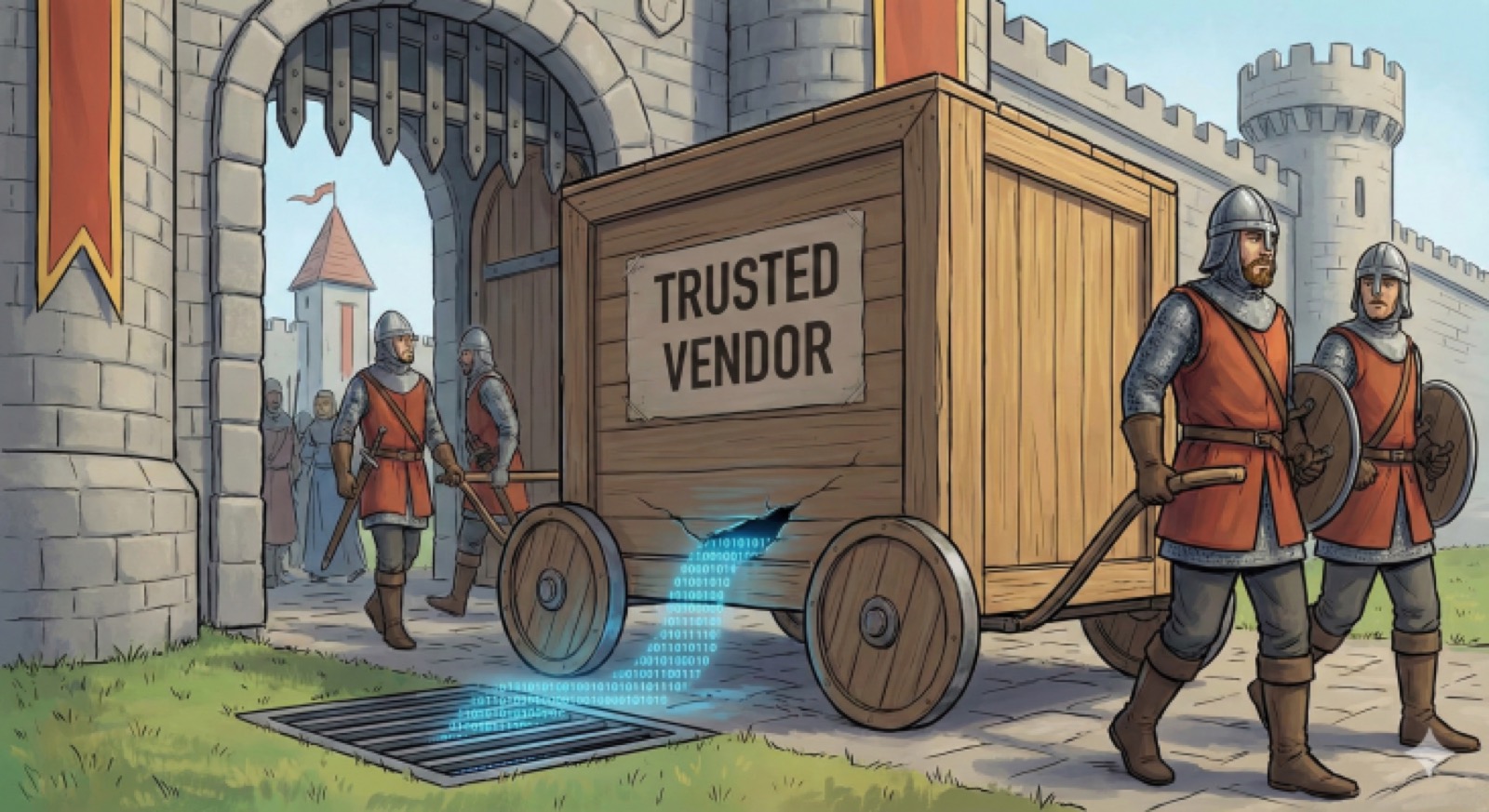
2025: Attacks on the Rise
Last year, the Salesforce ecosystem saw one of its biggest wake-up calls through the UNC6395 campaign. Attackers didn’t look for a “Zero Day” in Salesforce’s code. They didn’t engage in a sophisticated vishing campaign like UNC6040 with the Data Loader breach. Instead, they compromised the development environments of trusted vendors like Salesloft (Drift) and Gainsight.
In doing so, they were able to access the OAuth refresh tokens stored on those vendors’ servers, essentially providing a golden key to every Salesforce org connected to those apps.
OAuth Refresh Tokens: Golden Keys You Can’t Have in the Wrong Hands
When you authorize a vendor’s Salesforce API access via OAuth, you likely aren’t just giving them a one-time pass. You are often handing over a refresh token that they can use to gain access to your org indefinitely.
If that vendor gets breached (like the Salesloft/Drift incidents), the attacker doesn’t need to hack you. They simply use the vendor’s own authorized access to walk right through the backdoor left wide open. And in 2026, continued adoption of AI will only expand this attack surface.
What many admins and consultants still don’t realize, is that OAuth access is often completely separate from a given vendor’s managed package. Removing and uninstalling the latter does not always revoke the former. And some vendors don’t even bother to go through the headache of developing a managed package and subjecting themselves to a Salesforce security review to begin with. Why bother when they simply want to offer their customers a basic integration to Salesforce from their platform?
It’s time to hold vendors’ feet to the fire if we want to avoid waking up in a cold sweat to find that a single compromised integration has turned our Salesforce org into an open vault for hackers.
The Late Night Call Nobody Wants
It’s 12:00 AM. Your CISO calls. Threat intelligence has flagged a massive data egress from your Salesforce production org. You scramble to your laptop to check Login History.
Nothing. No failed logins. No suspicious access from a recently terminated employee.
But the data is still moving. Thousands of Opportunities, Contact lists, and sensitive Case comments are streaming out of your org via the API.
How? You’ve been hit by a supply chain attack due to a compromised vendor.
The attacker didn’t need your password. They didn’t need to bypass your MFA. They didn’t even need to touch Salesforce. They breached a third-party marketing tool you integrated three years ago—a tool you never even used past the free trial period. But also one whose Salesforce access you never fully revoked, and now it’s too late.
How to Audit Your Integrations
If you haven’t audited your integrations since the 2025 breaches, your org is likely at risk. You don’t need a massive security budget to start. Every admin and consultant can move the needle toward locking down their org:
- Check OAuth Usage: Go to Setup > Connected Apps OAuth Usage. Look for unfamiliar apps, especially those with a high user count. These are primary targets for further investigation.
- The Least Privilege Pivot: Many vendors request admin access for their integrations because it’s easier than troubleshooting scopes and permissions. That’s a liability and a major red flag. Leverage your free integration user licenses and only grant the minimum amount of permissions required to minimize exposure to vendors.
- 24-Hour Pulse Check: Even if you don’t pay for security add-ons like Shield, Salesforce provides the last 24 hours of event monitoring logs for free. You can review these logs regularly to identify suspicious activity.
Deeper Dive
To take a deeper dive in your audit, let’s begin with event monitoring. Detailed logs of Salesforce activity are captured via this feature, which is available with Salesforce Shield. Thankfully, Salesforce has realized the importance of security for all orgs–including those unable to swallow the 30% upcharge that comes with Shield. So a limited free tier of event monitoring is available for all customers.
To enable this, go to Setup > Event Monitoring Settings
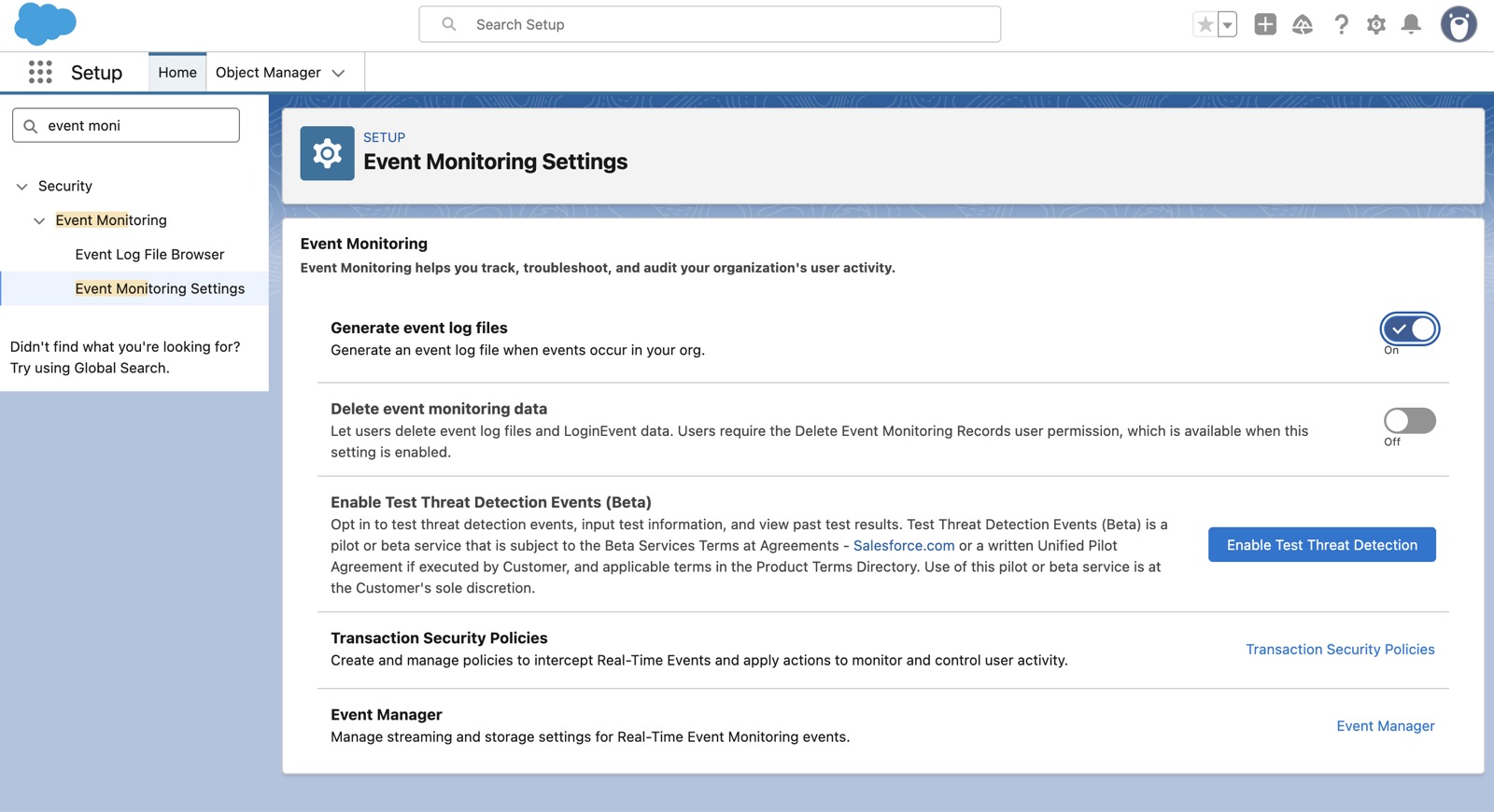
Once enabled, logs are accessible via SOQL query:
[SELECT CreatedDate, LogDate, EventType, LogFile FROM EventLogFile]
or via Setup > Event Log File Browser:
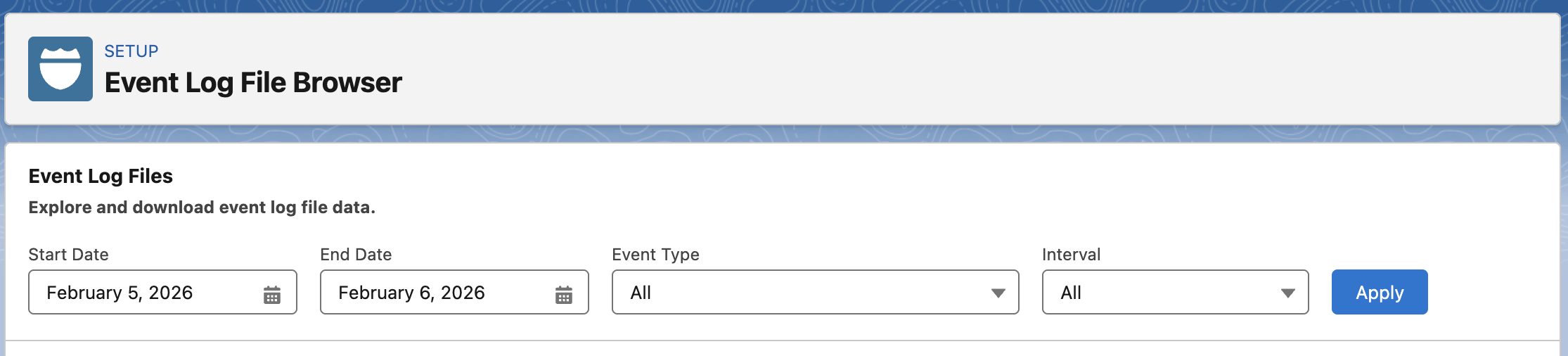
The free tier of event monitoring provides 1-day data retention for the following event types: Apex Unexpected Exception, CORS Violation Record, CSP Violation, Hostname Redirects, Login, Logout and API Total Usage. For a fee, you can increase data retention for some event logs up to a year. See Trailhead for more info.
Beyond enabling event monitoring, your audit should include a closer look at all existing integrations within your org.
First, you’ll want to discover what is connected by going to Setup > Connected Apps OAuth Usage and Setup > External Client Apps > OAuth Usage
External client apps are the successor to connected apps and are much more secure by default, so we will focus on the integrations leveraging legacy connected apps in our audit.
We will break down the connected app audit into three phases: discover, purge, and defend.
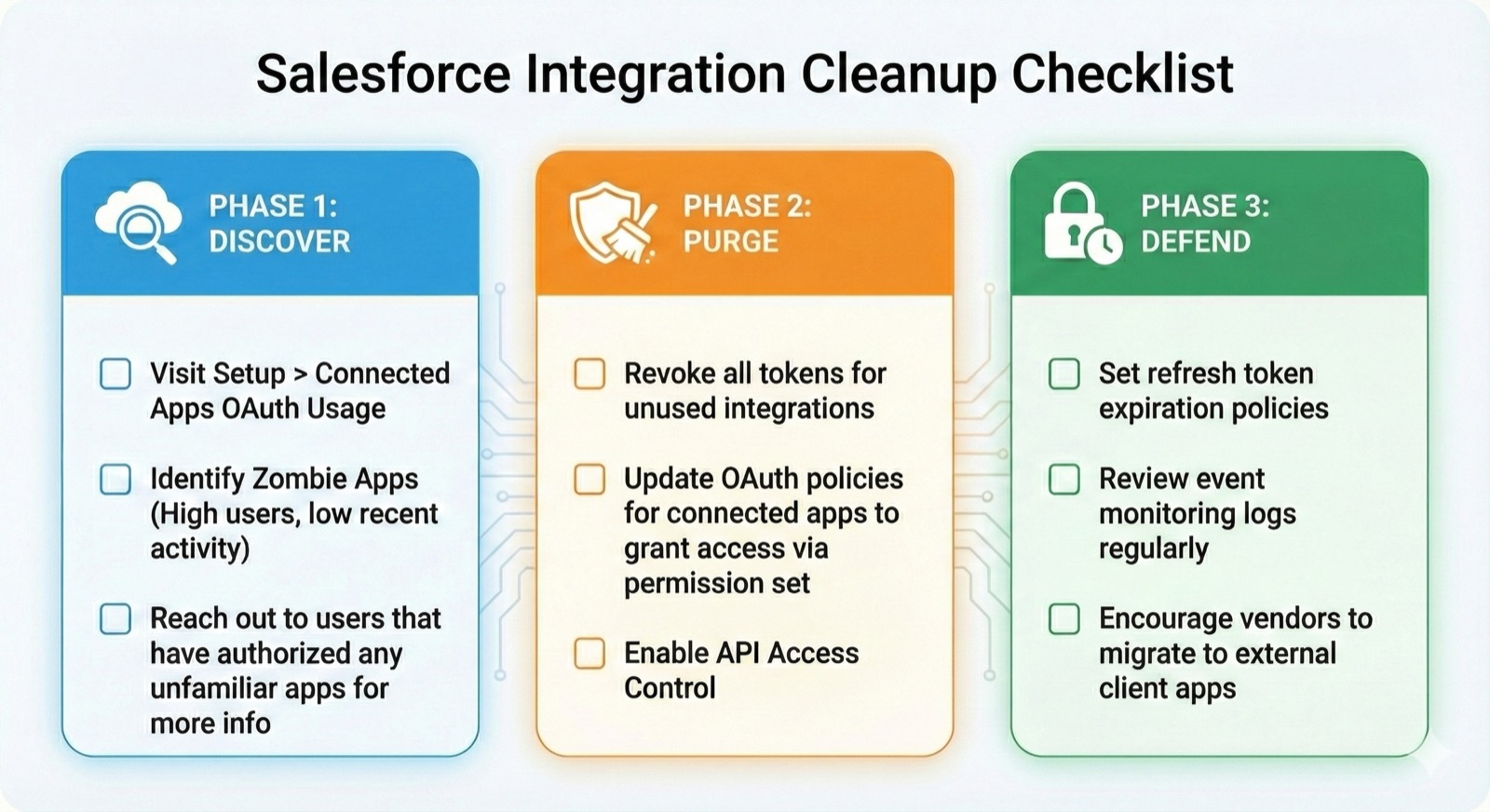
From the OAuth usage page you’ll want to identify any apps that seem unfamiliar or appear to be unused, zombie apps. In the case of the former, click on the number under the User Count column to identify what user(s) authorized the app. Reach out to them to get more info on whether or not access should be revoked.
To identify a zombie app, click through each app’s user count value and look for apps where the most recent Last Used value occurred several months ago. Determine if these apps can be shut off or if irregular access is still necessary.
In the second phase, we will want to lock down your org by purging OAuth tokens related to unused integrations. This phase should only be done after thorough testing to prevent breaking business-critical integrations.
To improve security and reduce friction for future users, consider officially installing all connected apps by clicking the Install button under Actions. You can then create a permission set for each connected app and assign it to the users that have already authorized access. Once that’s done, you can update each connected app’s OAuth policies by clicking Manage App Policies > Edit Policies and updating Permitted Users to Admin approved users are pre-authorized. Note the warning that this will remove existing users’ authorizations–which is why we first set assigned the new permission sets to those users. After updating this policy, link the newly created & assigned permission sets to their respective connected apps to minimize disruption to your users. Again, extensive testing is paramount.
Once complete, you’re ready to enable API Access Control to enforce an official allowlist for connected apps in your org. More info on this feature can be found in Salesforce’s API Access Control documentation.
The final phase of our audit is defend.
Part of this phase is regularly reviewing the event monitoring logs we enabled to detect anomalies.
Since they are more secure, we should also be encouraging all vendors to leverage external client apps over legacy connected apps where possible.
Finally, if you want to limit the time horizon for a vendor’s access to your org you can employ refresh token expiration policies so these tokens will no longer provide indefinite access to your org.
By going to Manage App Policies > Edit Policies like before, you should see each connected app’s refresh token policy:

The Bottom Line
We can’t stop using third-party apps and integrations; they are the engine of modern business. But we have to stop treating them as set and forget utilities.
Your Salesforce security is only as strong as the security of your weakest vendor. If you aren’t auditing your integrations at least once a quarter, you just might be leaving your backdoor wide open.
If you’d rather just close the backdoors today without the trial and error, book a 15 minute security strategy call and let’s map out your defense together.