
SalesforceSecurityComplianceAppExchange
Salesforce's Summer Security Wave: Every Deadline Admins and ISVs Need to Know
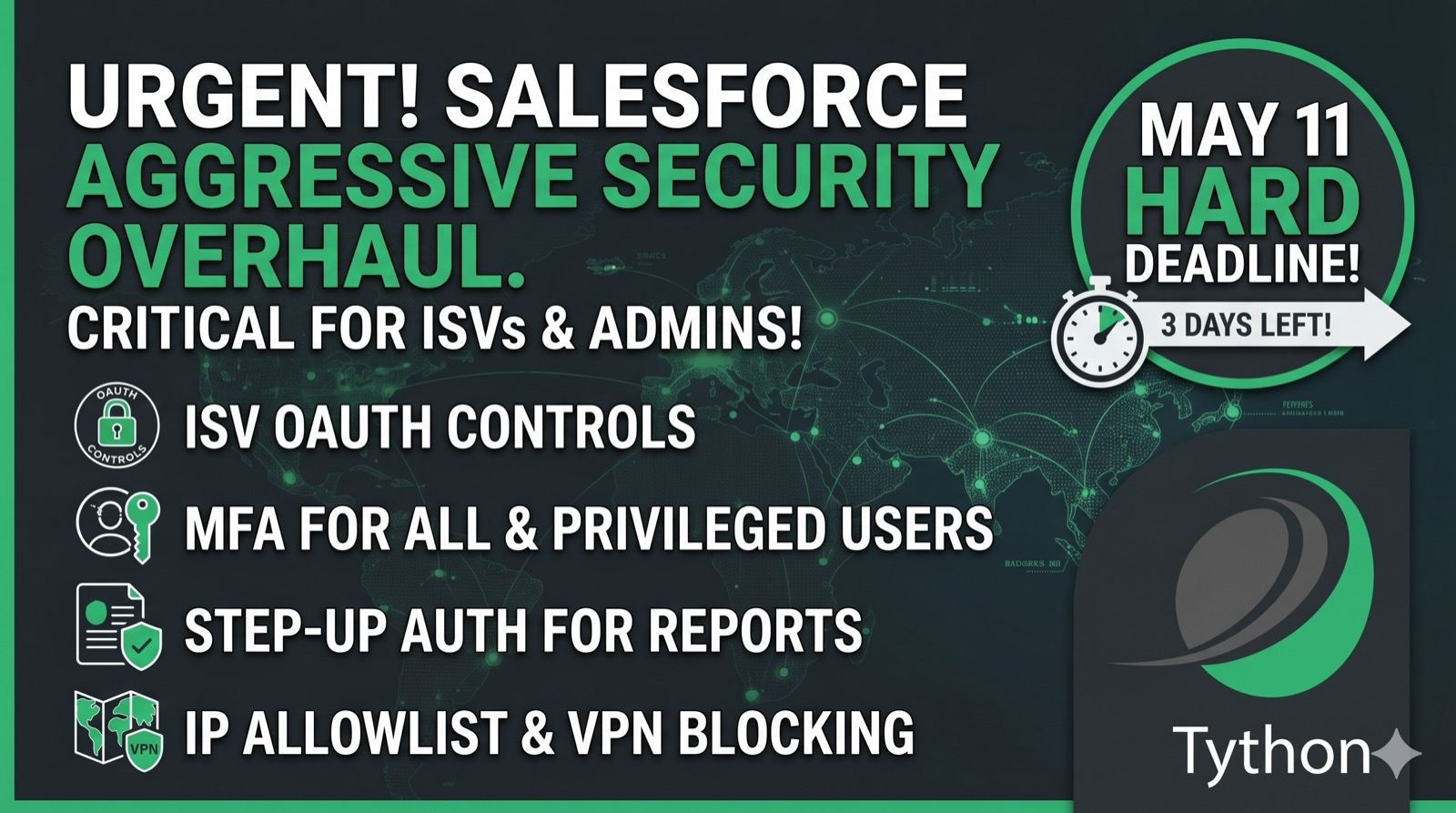
In previous posts on the Tython blog, we’ve covered AI data training defaults and third-party access risk. Both highlighted how platform defaults and integration trust create hidden exposure. This week, Salesforce published the most aggressive security enforcement roadmap the platform has ever seen–and the first hard deadline lands in three days.
On May 6, Salesforce released a consolidated security roadmap covering enforcements rolling out between now and mid-July 2026. Separately, ISV partners face a May 11 deadline for mandatory OAuth controls on every Connected App and External Client App on AppExchange. Together, these changes affect every Salesforce org, every admin, and every ISV partner in the ecosystem.
ISVs: The May 11 Connected App & ECA Deadline
By May 11, 2026, every AppExchange ISV must implement four mandatory OAuth security controls across all Connected Apps and External Client Apps:
- PKCE (Proof Key for Code Exchange) for authorization code flows
- Refresh Token Rotation for flows that issue refresh tokens
- 30-day idle timeout on unused refresh tokens
- IP range allowlisting for refresh token redemption
Non-compliance can result in AppExchange de-listing and temporary or permanent suspension of the app’s ability to interoperate with Salesforce. These aren’t suggestions–they’re conditions for continued participation in the AppExchange ecosystem.
The controls target a specific threat vector. Every major Salesforce-related breach in 2025 shared a common shape: the attacker didn’t break Salesforce directly. They walked in through an OAuth connection–stolen authorization codes, dormant refresh tokens, and tokens exfiltrated to attacker-controlled infrastructure. Each of the four mandated controls maps to a technique used in those breaches.
What’s In Scope
The mandate covers Connected Apps and ECAs created in ISV infrastructure orgs: your Partner Business Org, packaging orgs, namespace org, and any developer org used to mint credentials your customers consume. Packaged or not. If subscribers authenticate to your service using credentials your team owns, the May 11 controls apply.
Connected Apps that customers create in their own orgs are not in scope.
Flow-Specific Applicability
Not every control applies to every OAuth flow:
- PKCE applies only to authorization code flows. If you’re running JWT Bearer or Client Credentials, PKCE is not applicable.
- Refresh Token Rotation applies only to flows that issue refresh tokens. JWT Bearer flows don’t issue refresh tokens, so RTR is structurally irrelevant.
- The 30-day idle timeout and IP allowlisting apply to any flow that uses refresh tokens.
For ISVs running JWT Bearer flows exclusively–which is common for server-to-server integrations–the compliance path is straightforward: enable the applicable settings, document the IP allowlist exemption, and validate in sandbox. No client code changes are required.
For ISVs running authorization code flows with refresh tokens, the work is more involved. Refresh Token Rotation in particular requires application-level code changes and careful testing before it can be safely enabled in production.
Admins: The June–July Enforcement Timeline
Salesforce’s security roadmap stacks enforcements across sandboxes and production from late May through mid-July:
Email Domain Verification (Phase 1) – Already enforced
- Sandboxes: March 24 – April 10
- Production: Starting April 13
VPN/Proxy/High-Risk IP Blocking (API & Connected Apps) – Already enforced
- Production: Starting April 24
Extended Login Anomaly Detection – Already enforced
- Production: Early April
Step-Up Auth for Report Actions
- Sandboxes: Starting June 3, staggered over ~7 days
- Production: Starting June 10, staggered over ~20 days
Phishing-Resistant MFA for Privileged Users
- Sandboxes: Starting June 22, staggered over ~7 days
- Production: Starting July 1, staggered over ~30 days
MFA for All Employee Users
- Sandboxes: June 22, staggered over ~7 days
- Production: July 20, staggered over ~30 days
Step-Up Auth for Anomalous Behavior
- Sandboxes: June 22
- Production: July 13
Transaction Security Policy Enhancements
- Sandboxes: Starting June 22
- Production: Starting July 13
The first three controls are already in effect. The rest hit sandboxes in June and roll into production through July.
What Each Control Means
Phishing-Resistant MFA for Privileged Users. This goes beyond the existing MFA requirement from February 2022. Privileged users–system administrators, security admins, and others with elevated access–will be required to use phishing-resistant MFA methods. Standard TOTP authenticator apps won’t satisfy this requirement. Only passkeys (built-in authenticators like Touch ID or Windows Hello) and hardware security keys (WebAuthn/FIDO2) qualify as phishing-resistant, because they validate the domain they’re authenticating to–a phishing site can’t intercept the response.
MFA for All Employee Users. Extends MFA enforcement to all internal users, not just those logging in directly. The details on how this interacts with SSO configurations are critical–orgs relying on IdP-side MFA will need to confirm their setup satisfies Salesforce’s enforcement criteria.
Step-Up Auth for Report Actions. Users will be required to re-verify their identity to view and export reports. This is a session-level policy, not a login-level control. Even users with an active, MFA-authenticated session will face an additional verification prompt when accessing reports. Users can satisfy the step-up with a Salesforce MFA method, or receive a verification code via phone or email.
Step-Up Auth for Anomalous Behavior. Salesforce will trigger additional identity verification when it detects anomalous patterns in report export activity. This works in conjunction with the report actions step-up but targets specifically suspicious behavior rather than all report access.
Transaction Security Policy Enhancements. Expanded capabilities for Transaction Security Policies, which provide real-time enforcement on data access and operations. The specifics of the enhancements haven’t been fully detailed, but orgs using Shield or Event Monitoring should expect new policy options and enforcement behaviors.
What to Do Now
- ISVs: Inventory every Connected App and ECA across your infrastructure orgs. Map each to its OAuth flows and enable the required controls before May 11.
- Audit privileged user MFA methods. If admins are using only TOTP apps, they’ll need to register phishing-resistant methods–passkeys or security keys–before June 22.
- Test in sandboxes. Most enforcements hit sandboxes first. Use that lead time to validate that step-up auth and transaction security policies don’t break workflows.
- Communicate the report access change. Step-up auth for reports will add friction for users who export data frequently. Ensure users have a registered Salesforce MFA method or verified phone/email for fallback verification.
- Review your email domain verification status. Phase 1 is already enforced. If you haven’t verified your sending email domains, outbound emails from your org may already be failing.
Deeper Dive
The Four ISV OAuth Controls: Technical Details
PKCE (Proof Key for Code Exchange)
PKCE closes the authorization code interception vulnerability. In a standard OAuth authorization code flow, the authorization code is returned to the client via a redirect URI. If an attacker can intercept that redirect–through a malicious app registered with the same redirect scheme, a compromised browser extension, or a man-in-the-middle position–they can exchange the code for an access token.
PKCE prevents this by binding the authorization request to the token exchange. The client generates a random code_verifier, derives a code_challenge from it (typically using SHA-256), and includes the challenge in the authorization request. When exchanging the code for a token, the client sends the original code_verifier. The authorization server verifies that it matches the challenge. An attacker who intercepts the code can’t complete the exchange without the verifier, which never left the client.
For ISVs already using the authorization code flow, implementing PKCE requires:
- Generate a cryptographically random
code_verifier(43-128 characters from the unreserved character set) - Compute the
code_challengeasBASE64URL(SHA256(code_verifier)) - Include
code_challengeandcode_challenge_method=S256in the authorization request - Include the
code_verifierin the token exchange request
The Salesforce side requires enabling the PKCE setting on the Connected App or ECA. For packaged Connected Apps, this setting propagates to subscriber orgs automatically.
Refresh Token Rotation (RTR)
RTR ensures that every time a refresh token is used to obtain a new access token, the old refresh token is invalidated and a new one is issued. This means a stolen refresh token is only usable once–and if the legitimate application uses it first, the stolen copy is dead.
The critical implementation detail: RTR introduces a failure mode. If a client attempts to redeem an already-rotated token–because of a retry, a race condition in a multi-worker setup, or a bug–Salesforce treats this as a stolen-token event and invalidates all refresh tokens for that user-application pair. One buggy retry can drop the entire session.
This means RTR is not a toggle-and-forget setting. It requires:
- Transactional token storage: when you receive a new refresh token, persist it atomically before making any subsequent API calls
- Single-writer-per-chain: in multi-worker architectures, only one process should redeem and store refresh tokens for a given user-app pair
- Retry logic: never retry a token exchange with the same refresh token; if the exchange fails ambiguously, assume the token has been rotated and re-authenticate the user
- Error handling: detect the stolen-token invalidation response and trigger a clean re-authentication flow rather than looping on the invalid token
For ISVs using JWT Bearer flows, RTR is not applicable because JWT Bearer doesn’t issue refresh tokens.
30-Day Idle Timeout
Refresh tokens that aren’t used within 30 days expire automatically. This kills the dormant-token attack scenario–where a long-lived refresh token sits unused in a compromised system until the attacker is ready to exploit it.
For integrations that run continuously (daily syncs, real-time webhooks), this is invisible. The tokens are refreshed regularly and never go idle.
For integrations that run infrequently–quarterly reports, seasonal campaigns, apps users open sporadically–this requires a heartbeat mechanism. A scheduled job that refreshes the token every 25-28 days keeps it alive without waiting for user-initiated activity.
Mobile apps face a particular challenge: if a user installs the app but doesn’t open it for 30 days, the token expires and they’ll need to re-authenticate. There’s no effective server-side heartbeat for client-held tokens. ISVs with mobile apps should plan for a re-authentication UX that handles this gracefully.
IP Range Allowlisting
Refresh tokens can only be redeemed from IP addresses registered in the Connected App or ECA’s allowlist. A stolen refresh token exfiltrated to attacker infrastructure is useless if it can’t be redeemed from the attacker’s IP range.
This is the most operationally demanding control for ISVs whose infrastructure doesn’t already use static egress IPs. Cloud-native architectures often use dynamic IP ranges, and establishing static egress requires infrastructure-level changes:
- Configure a static egress gateway (NAT gateway, proxy, or similar) for all outbound Salesforce API traffic
- Register those static IPs with Salesforce via a support case
- Wait for confirmation and validation
- Cutover application traffic to route through the static egress
- Remove old dynamic ranges
For ISVs already using static IPs for Salesforce communication, this is a configuration change. For those on dynamic infrastructure, it’s a multi-step infrastructure project that needs to be scoped and executed before May 11.
ISV Migration Paths
ISVs have three options for achieving compliance, and different apps in a portfolio can take different paths:
Path A: Hotfix on Existing Connected App. Toggle PKCE, RTR, idle timeout, and IP allowlisting on the existing Connected App in the source/packaging org. These settings propagate automatically to subscriber orgs via the managed package. No new Consumer Key, no customer re-authentication, no Security Review resubmission for the settings change alone. Application-side code changes (PKCE handshake, RTR token handling) are still required. This is the fastest path to May 11 compliance.
Path B: Full ECA Migration. Create a new External Client App, package it into a 2GP managed package, update application code to use the new Consumer Key, resubmit the AppExchange Security Review, and coordinate customer re-authentication. This is the strategic long-term path–Connected App creation is already disabled as of Spring ’26–but it’s a larger project than the May 11 deadline demands.
Path C: Sidecar 2GP. Create a separate 2GP package containing only the ECA metadata, distributed alongside your existing 1GP package. This decouples the ECA migration from a full 1GP-to-2GP migration and avoids forcing customers to switch Consumer Keys immediately. It’s a middle path that provides the ECA benefits without the full migration overhead.
Treat May 11 as the compliance floor, not the destination. Path A buys time. The full ECA migration is still on the roadmap for every ISV–Salesforce has blocked new Connected App creation and will eventually stop granting exceptions entirely.
Phishing-Resistant MFA: What Qualifies
The June 22 (sandbox) / July 1 (production) enforcement for privileged users specifically requires phishing-resistant MFA methods. This is a meaningful distinction from the existing MFA requirement:
Hardware security key (YubiKey, Titan, etc.) – Phishing-resistant
- Validates the authenticating domain via WebAuthn; a phishing site can’t intercept the response
Platform authenticator / Passkey (Touch ID, Windows Hello, Face ID) – Phishing-resistant
- Same WebAuthn protocol; bound to the device and domain
Salesforce Authenticator (push notification) – Not phishing-resistant
- Push notifications don’t validate the domain; susceptible to real-time phishing proxies
TOTP apps (Google Authenticator, Authy, etc.) – Not phishing-resistant
- TOTP codes can be phished in real time; the code works regardless of which site the user enters it on
This means orgs that satisfied the 2022 MFA requirement with Salesforce Authenticator or TOTP apps will need to deploy phishing-resistant methods for their admin and privileged user populations. For most orgs, this means rolling out passkeys (which leverage existing device biometrics) or purchasing and distributing hardware security keys.
The staggered rollout–sandboxes first, then production over 30 days–gives orgs time to detect issues, but the registration and distribution of phishing-resistant methods needs to happen before June 22.
Step-Up Auth for Reports: How It Works
Step-up authentication for report actions is a session-level policy, not a login control. It operates independently of how the user authenticated initially.
When enforced, Salesforce requires identity re-verification when a user attempts to:
- View a report
- Export a report
The verification prompt appears inline. Users can satisfy it with:
- A registered Salesforce MFA verification method (passkey, security key, Salesforce Authenticator, TOTP app)
- A verification code sent via phone (SMS) or email
Importantly, users who log in via SSO using a non-Salesforce MFA method (e.g., Okta Verify, Duo) cannot use that method for step-up authentication. They’ll need either a Salesforce-native MFA method or the phone/email fallback.
The enforcement timeline has two phases:
- Available (May 27): The feature is enabled but not enforced. Admins can test and configure.
- Enforced (June 3 sandboxes, June 10 production): Step-up auth is mandatory for all report actions.
Orgs with heavy report export workflows–analytics teams, finance teams, operations teams that pull data into external tools–will feel this immediately. The change is designed to prevent data exfiltration through report exports, which has been a common technique in Salesforce-targeted attacks. But it will add friction to legitimate workflows if users aren’t prepared.
Preparing for Step-Up Auth
- Identify users who access and export reports regularly
- Ensure those users have a registered Salesforce MFA method or a verified phone number and email address
- Communicate the change before June 10 with clear instructions on what the verification prompt looks like and how to satisfy it
- Test in sandbox after May 27 to identify any workflow disruptions
Already Enforced: VPN/Proxy Blocking and Email Domain Verification
Two controls from the roadmap are already active:
VPN/Proxy/High-Risk IP Blocking (since April 24). Salesforce now blocks connections from anonymizing VPNs, proxies, and high-risk IP addresses for Connected App and API access. If your integrations or users access Salesforce through a corporate VPN or proxy, verify that those IPs aren’t flagged. Legitimate corporate VPN egress points should not be affected, but privacy-focused VPN services (NordVPN, ExpressVPN, etc.) and known proxy networks will be blocked.
Email Domain Verification (since April 13). Phase 1 requires verification of all email-sending domains. If your org sends emails from Salesforce (workflow alerts, email templates, marketing sends), the sending domain must be verified in Setup. Unverified domains will have their emails blocked. Phase 2–enforcement for allowlisted domains–is live in sandboxes, with production enforcement TBD.
Compliance Readiness Checklist
For ISVs (Before May 11)
- [ ] Inventory all Connected Apps and ECAs across all infrastructure orgs (Partner Business Org, packaging orgs, dev orgs)
- [ ] Map each to its OAuth flow type (authorization code, JWT Bearer, Client Credentials, etc.)
- [ ] For authorization code flows: implement PKCE in application code and enable on the CA/ECA
- [ ] For flows issuing refresh tokens: enable Refresh Token Rotation and update token handling logic
- [ ] Enable 30-day idle timeout for refresh tokens
- [ ] Establish static egress IPs and register them with Salesforce for IP allowlisting
- [ ] For infrequently-used integrations: implement a heartbeat mechanism to prevent idle token expiration
- [ ] Test RTR failure modes: verify your application handles the stolen-token invalidation response correctly
- [ ] Validate in sandbox before enabling in production source org
- [ ] Confirm settings propagate to subscriber orgs via managed package
For Admins (Before June 22)
- [ ] Audit MFA methods registered by all privileged users (system admins, security admins, delegated admins)
- [ ] Identify users relying solely on TOTP apps or Salesforce Authenticator push notifications
- [ ] Procure and distribute phishing-resistant MFA methods (security keys or enable passkey registration)
- [ ] Verify email domain verification status for all sending domains (Setup > Email Domain Filters)
- [ ] Confirm no critical integrations are affected by VPN/proxy/high-risk IP blocking
- [ ] Test step-up auth for reports in sandbox after May 27
- [ ] Identify heavy report export users and communicate the upcoming verification requirement
- [ ] Review Transaction Security Policies if using Shield or Event Monitoring
- [ ] Verify that SSO-authenticated users have a Salesforce-native MFA method or verified phone/email for step-up auth
- [ ] Document your org’s enforcement readiness and any exceptions or gaps
The Bottom Line
This is the most concentrated security enforcement push Salesforce has executed. The ISV deadline on May 11 demands immediate action if you haven’t already implemented the OAuth controls. The admin-facing changes in June and July are more staggered, but the preparation–especially deploying phishing-resistant MFA and communicating the step-up auth changes to end users–needs to start now.
The sandboxes-first approach gives you a testing window. Use it. Every control that hits sandbox before production is an opportunity to find breakage before it matters.
Book a 15-Minute Security Strategy Call
Reference(s):
https://help.salesforce.com/s/articleView?id=005317465&type=1
https://help.salesforce.com/s/articleView?id=005232552&language=en_US&type=1
https://help.salesforce.com/s/articleView?id=sf.mfa_supported_verification_methods.htm