
SalesforceSecuritySalesforce ShieldSalesforce Event Monitoring
Salesforce Threat Detection: Turning Event Monitoring Into Real-Time Defense
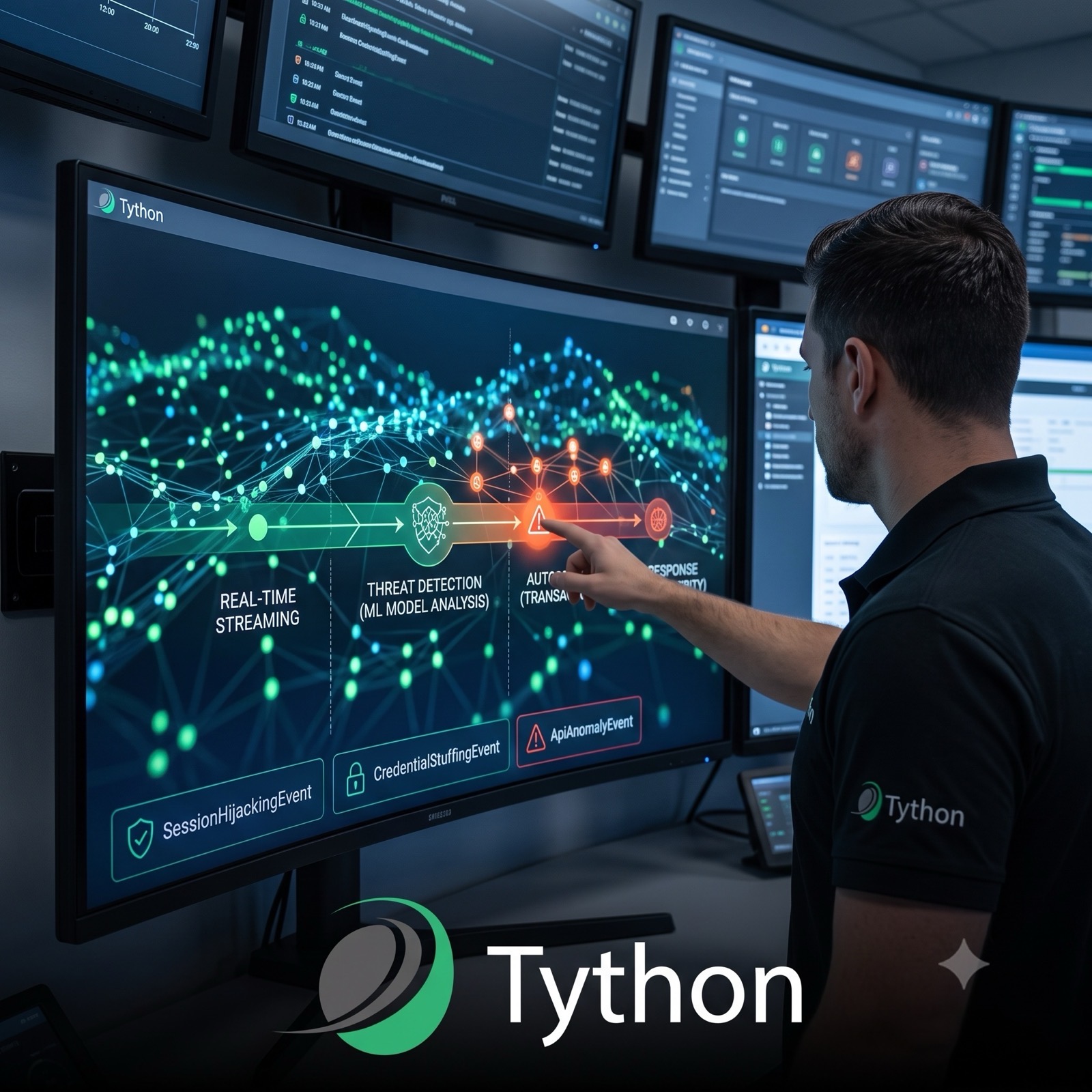
We’ve previously covered the raw material of detection — the logging gaps that leave you blind, and the export policy that stops data walking out the door. This post ties them together: turning that stream of events into something that actually notices an attack in progress, instead of a log you read after the breach.
Logging Is Not Detection
Most orgs treat “we have Event Monitoring” as the finish line. It isn’t. A log file that lands in an object nobody queries is forensics, not defense — it tells you what happened once you already know to look. The gap between an event being recorded and an event being noticed is exactly the window an attacker operates in.
The distinction that matters here is timing. Classic Event Monitoring delivers hourly or daily log files — excellent for audit and forensics, useless for stopping something mid-attack. Real-Time Event Monitoring streams the same categories of event as they happen, which is what makes response, rather than reconstruction, possible.
The Three Layers Worth Turning On
- Real-Time Event Monitoring streams. Events such as
LoginEvent,ReportEvent,ApiEvent,BulkApiResultEvent, andSessionHijackingEventare available in real time. You choose which to store and which to stream, and stored events can be queried like any object or forwarded to a SIEM. - Threat Detection events. Salesforce ships pre-trained models that surface session hijacking, credential stuffing, anomalous report exports, and anomalous Guest User activity. You subscribe to these — you don’t build or train them — and each detection arrives with a score and the evidence behind it.
- Transaction Security policies. The enforcement arm, and the same framework behind July’s report-export control. A policy can watch an event stream and, in real time, notify, require step-up MFA, or block the action outright.
The chain runs one direction: streaming events are the sensors, Threat Detection is the analysis, and Transaction Security is the response. Enable the stream without a policy and you can see but not act; write a policy without understanding the stream and you’ll block legitimate work.
Where Orgs Go Wrong
The common failure isn’t a missing license — it’s subscribing to nothing. Shield gives you the event platform, but Real-Time Event Monitoring stores nothing and Threat Detection alerts no one until you explicitly enable storage, subscribe to the events, and route them to a destination a human or SIEM will actually see. An unsubscribed SessionHijackingEvent is a tree falling in an empty forest.
Deeper Dive
Start With the Events That Map to Real Attacks
You don’t need every event stream on day one. Start with the handful that correspond to the attacks Salesforce orgs actually face, and expand from there.
SessionHijackingEvent— fires when a session is used from a context that doesn’t match where it was established (a sudden change in IP fingerprint or browser characteristics). This is the direct signal for the hijacking scenario, and it’s a Threat Detection event, meaning the model does the heavy lifting.CredentialStuffingEvent— flags login patterns consistent with an attacker replaying breached credentials at scale. High value if you have any internet-facing login surface.ReportAnomalyEventandReportEvent— the pair behind export monitoring.ReportEventgives you the raw who-exported-what-and-how-many-rows;ReportAnomalyEventapplies a model to flag exports that are unusual for that user. The export policy from July acts on the former; the anomaly model catches the slow-and-low pattern a static row threshold misses.ApiAnomalyEvent— surfaces API traffic that deviates from an org’s learned baseline, which is often the first sign of a compromised integration user.LoginEventandApiEvent— the non-modeled workhorses. No anomaly scoring, but streaming them gives you the substrate to write your own detections in a SIEM.
A reasonable first subscription is SessionHijackingEvent, CredentialStuffingEvent, ReportAnomalyEvent, and ApiAnomalyEvent — the four modeled detections — plus stored LoginEvent and ReportEvent for context and investigation.
Storage vs. Streaming Is a Real Decision
Each Real-Time Event Monitoring event has two independent switches: store it (so it’s queryable in the EventStore object and retained per your Shield settings) and/or stream it (so it publishes to a channel you can subscribe to via CometD or Pub/Sub API). They are not the same choice.
Streaming is what enables real-time response — a subscriber can act the instant the event publishes. Storage is what enables investigation and reporting after the fact. For a detection you want to act on, you need streaming; for one you want to analyze historically, you need storage; for the important ones, you want both. Turning on storage alone and calling it “real-time monitoring” is the most common misconfiguration in this space.
Wire Detection to Response
A detection that emails an inbox nobody watches is only marginally better than no detection. The point of streaming is to close the loop. Two patterns matter:
First, route to where your responders already live. If you run a SOC on Splunk, Sentinel, or Chronicle, use the Salesforce SIEM connectors or Pub/Sub API to forward the streamed events there, so Salesforce alerts sit alongside the rest of your telemetry instead of in a console someone has to remember to open.
Second, let Transaction Security respond automatically for the unambiguous cases. Some detections don’t need a human in the first instant. A high-confidence SessionHijackingEvent can drive a Transaction Security policy that immediately ends the session or forces re-authentication — containing the incident in the seconds before anyone reads the alert. Here the detection event is the trigger, and the policy is the reflex.
The design goal is a tiered response: automatic containment for the high-confidence, high-severity events, and human-routed alerts for everything that needs judgment.
The Licensing Reality
Real-Time Event Monitoring and Threat Detection require Salesforce Shield or a standalone Event Monitoring add-on. If you don’t have that entitlement, you’re limited to the native surfaces — login history, the Setup Audit Trail, and hourly Event Monitoring log files if you have that piece — which support forensics but not real-time response. That’s a legitimate place to start, and it’s also the honest framing for a build-vs-buy conversation: the question isn’t whether Shield’s detections are good (they are), it’s whether your data-exfiltration and account-takeover risk justifies the entitlement. For an org holding regulated data with internet-facing login, it usually does.
What This Doesn’t Solve
Real-time detection shrinks the window between compromise and response, but it isn’t prevention. The modeled detections need a baseline period before they’re accurate, they can be evaded by an attacker patient enough to stay inside normal patterns, and they generate false positives you’ll spend real effort tuning. Treat this as the detection-and-response layer of a defense-in-depth posture — sitting on top of the identity hardening, least-privilege, and export controls we’ve covered in prior issues, not replacing any of them.
The Bottom Line
Shield doesn’t detect anything until you tell it to. The platform streams events, ships pre-trained threat models, and can enforce a response in real time — but every one of those layers is opt-in, and an org that bought Shield and subscribed to nothing has paid for a capability it isn’t using. Pick the four modeled detections, decide store-versus-stream deliberately, route the stream to your responders, and let Transaction Security auto-contain the unambiguous cases. That’s the difference between logging an attack and catching one.
Book a 15-Minute Security Strategy Call
Reference(s):
https://developer.salesforce.com/docs/platform/pub-sub-api/guide/intro.html