
Deployment Pipeline Security: The Metadata Risks Your Change Process Doesn't Catch
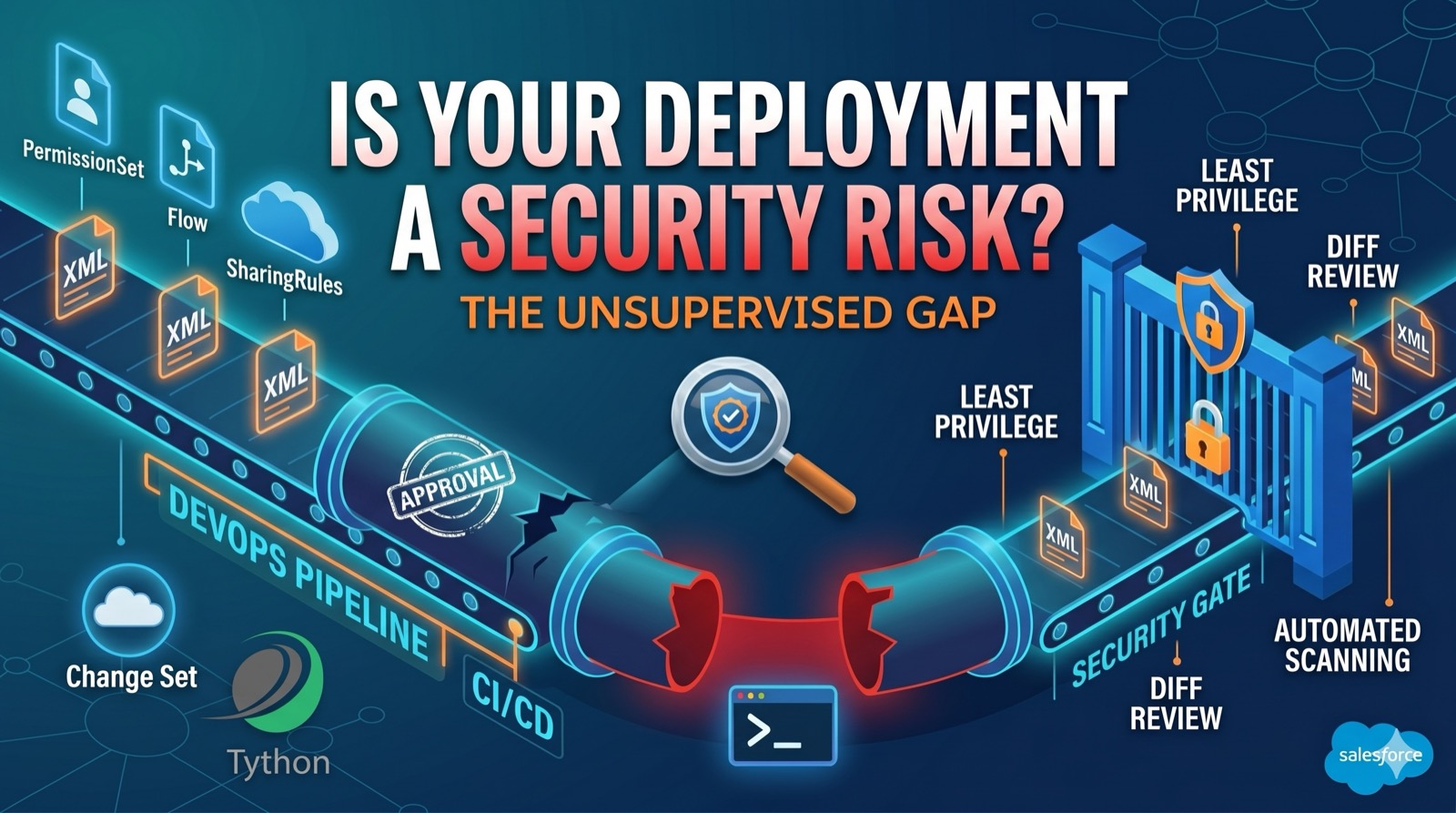
We’ve previously discussed Apex security anti-patterns and permission set overprivileging. Those topics focus on what’s already running in your org. This one is about how it gets there–and why the deployment process itself is a security gap most teams aren’t watching.
Every change to a Salesforce org’s security posture–permission sets, sharing rules, Apex classes, Flows, connected apps–arrives through a deployment. Change sets, the Metadata API, Salesforce CLI, and third-party CI/CD tools all push metadata from one environment to another. Most teams treat this as a DevOps concern. It’s a security one.
The Problem: Deployments Are Unsupervised Security Changes
When an admin uploads a change set or a developer pushes metadata through a CI/CD pipeline, the changes can include components that directly alter who can access what. A permission set modification that adds Modify All Data. A sharing rule change that opens records to an entire role hierarchy. An Apex class deployed without sharing and exposed via @AuraEnabled. A Flow running in system context that queries sensitive fields without checking FLS.
None of these require a security review by default. In most orgs, the deployment approval process–if one exists–checks whether the change works, not whether it’s safe.
This is compounded by the fact that Salesforce metadata is declarative. A single XML file can contain dozens of permission changes that are easy to miss in a pull request diff. And change sets have no diff at all–you either accept the inbound set or you don’t.
Common Deployment Security Gaps
The patterns we see most often:
- No metadata diff review for security-sensitive components. Teams review Apex code but skip the permission set XML, sharing rule changes, and Flow metadata that ship alongside it. The non-code components are often where the real access changes live.
- Overprivileged deployment users. The integration user or admin account running deployments has Modify All Data, Manage Users, and Author Apex. If those credentials are compromised–or if a developer pushes a malicious change–the blast radius is the entire org.
- Sandbox-to-production drift. Security configurations diverge between environments. A sharing rule that’s locked down in production gets loosened in a sandbox for testing and then accidentally promoted. Or worse, a sandbox is seeded with production data including credentials stored in custom settings.
- No rollback plan for security-impacting changes. When a deployment breaks functionality, teams know how to roll back. When a deployment quietly broadens access, most teams don’t detect it at all–let alone reverse it.
- Change sets without version control. Change sets leave no audit trail of what was reviewed, who approved the security implications, or what the previous state was. They’re a one-way push with no history.
What Security Teams Should Do
The deployment pipeline is a choke point–every change to your org passes through it. That makes it the best place to enforce security controls:
- Classify metadata types by security impact. Permission sets, profiles, sharing rules, custom permissions, Apex classes, Flows, connected apps, named credentials, and auth providers should all be flagged for mandatory security review before deployment.
- Require metadata diffs for every production deployment. Tools like Salesforce CLI and most CI/CD platforms can generate diffs. If you’re using change sets, this is a strong argument to migrate to a source-driven workflow where diffs are visible in version control.
- Scope deployment users to least privilege. A deployment user doesn’t need Modify All Data in perpetuity. Use dedicated integration users with time-boxed elevated permissions, or scope the deployment user’s permissions to only what the pipeline requires.
- Automate security policy checks. Add a CI/CD step that scans for known anti-patterns before deployment:
without sharingclasses exposed to Lightning, permission sets granting Modify All Data, Flows querying sensitive objects in system context. - Log and alert on production deployments. Every metadata deployment to production should generate a record that’s reviewed.
Setup > Deployment Statuscaptures this natively, but few teams monitor it as a security signal.
Deeper Dive
Which Metadata Types Carry Security Risk
Not all metadata is equal from a security standpoint. The following component types directly affect who can access what in your org, and any change to them should be treated as a security-relevant event:
Metadata TypeSecurity ImpactPermissionSet / PermissionSetGroupGrants or revokes object, field, and system-level accessProfileSame as permission sets, plus login IP restrictions, session settingsSharingRulesControls record-level visibility across roles and groupsCustomPermissionGates access to custom features, including managed package functionalityApexClass / ApexTriggerCode executing in system mode; can bypass all security controlsFlowAutomation running in system context; can query and modify any dataConnectedAppOAuth scopes, callback URLs, IP relaxation settingsNamedCredential / ExternalCredentialStored authentication for external systemsAuthProviderSSO configuration, identity provider trustCustomObject (OWD settings)Organization-wide defaults for record sharingRemoteSiteSetting / CspTrustedSiteControls which external domains your org can communicate with
When reviewing a deployment, the first question should be: does this package contain any of these component types? If yes, a security review is required before it reaches production.
Auditing Deployment History
Salesforce captures deployment activity, but most teams only look at it when something breaks. For security monitoring, you should be reviewing deployments proactively.
Setup UI
Navigate to Setup > Deployment Status to see recent deployments. This shows the deploying user, timestamp, status, and component list. It’s useful for spot checks but doesn’t scale for ongoing monitoring.
Tooling API
The DeployRequest object in the Tooling API provides programmatic access to deployment history:
SELECT Id, Status, StartDate, CompletedDate, CreatedById, CreatedBy.Name,
       NumberComponentsTotal, NumberComponentsDeployed, NumberComponentErrors
FROM DeployRequest
WHERE Status = 'Succeeded'
AND StartDate = LAST_N_DAYS:30
ORDER BY StartDate DESC
This query returns all successful deployments in the last 30 days. Cross-reference the CreatedById against your list of approved deployment users. Any deployment from an unexpected user is worth investigating.
To see what was actually deployed, query the DeployDetails by retrieving the deploy result for a specific DeployRequest:
sf project deploy report --job-id --jsonThis returns the full component manifest for that deployment, including which components succeeded, failed, or were deleted.
Setup Audit Trail
The Setup Audit Trail captures metadata changes made through the UI, but it also logs deployment-related changes. Query it for security-relevant events:
SELECT Action, Section, CreatedDate, CreatedBy.Name, Display
FROM SetupAuditTrail
WHERE CreatedDate = LAST_N_DAYS:30
ORDER BY CreatedDate DESC
The Section field isn’t filterable in SOQL, so you’ll need to pull recent entries and filter programmatically for security-relevant sections like Manage Users, Sharing Rules, Permission Sets, Connected Apps, Named Credentials, and Apex Classes. This won’t capture every deployment detail, but it surfaces permission and access changes that coincide with deployment windows.
Building a Security Gate in Your CI/CD Pipeline
If your team uses a source-driven development workflow with Salesforce CLI and a CI/CD platform (GitHub Actions, GitLab CI, Bitbucket Pipelines, Azure DevOps), you can add automated security checks that run before every production deployment.
Step 1: Identify Security-Sensitive Components in the Changeset
Write a pipeline step that scans the files changed in the pull request and flags any security-relevant metadata types:
# List changed files that are security-sensitive
git diff --name-only origin/main...HEAD | grep -E \
  "(permissionset|profile|sharingrules|customPermission|connectedApp|namedCredential|authProvider|remoteSite|cspTrustedSite)" \
  && echo "SECURITY REVIEW REQUIRED" || echo "No security-sensitive changes detected"
If security-sensitive components are detected, require an additional approval from a designated security reviewer before the pipeline proceeds.
Step 2: Run Static Analysis on Apex
Integrate Salesforce Code Analyzer into your pipeline to catch code-level anti-patterns before deployment:
sf code-analyzer run \
  --target "force-app/main/default/classes" \
  --rule-selector Recommended:Security \
  --output-file security-scan.json

# Fail the pipeline if any security violations are found
if [ $(jq '.violations | length' security-scan.json) -gt 0 ]; then
  echo "Security violations detected. Deployment blocked."
  jq '.violations[] | {file: .fileName, rule: .ruleName, message: .message}' security-scan.json
  exit 1
fi
Step 3: Validate Permission Changes
Add a script that parses permission set XML and flags high-risk permissions:
# Check for Modify All Data or View All Data in any permission set being deployed
grep -rl "ModifyAllData\|ViewAllData" force-app/main/default/permissionsets/ \
  --include="*.permissionset-meta.xml" \
  && echo "WARNING: Deployment includes Modify All Data or View All Data permissions" \
  || echo "No elevated system permissions detected"
Step 4: Enforce Approval Gates
Most CI/CD platforms support required reviewers on pull requests. Configure your pipeline so that:
- Any PR touching security-sensitive metadata types requires approval from a member of the security team.
- The pipeline cannot deploy to production until the security review step passes.
- The approval is recorded in the PR history for audit purposes.
This creates a documented, enforceable security review process that doesn’t rely on someone remembering to check the permission set XML.
Destructive Changes and Their Security Impact
Deployments aren’t just about adding metadata. Destructive changes–removing components from production–carry their own risks:
- Deleting a sharing rule silently broadens or narrows record access depending on the rule type. If a criteria-based sharing rule that restricted visibility is removed, records may become visible to users who shouldn’t see them.
- Removing a permission set can break integrations or workflows that depend on those permissions, but it can also be used to revoke access intentionally. The problem is when it happens without documentation.
- Deleting an Apex class that enforced security checks (like a service class with
with sharingthat was called by a trigger) can leave the trigger’s logic running in system mode with no FLS enforcement.
Destructive deployments need the same level of review as additive ones. In a CI/CD pipeline, this means tracking destructiveChanges.xml or destructiveChangesPre.xml files with the same scrutiny as new components.
Sandbox Seeding Risks
Sandboxes are often treated as safe because they’re “not production.” But they introduce two distinct security risks in the deployment pipeline:
Production Data in Sandboxes
Full-copy and partial-copy sandboxes contain production data. If your org stores credentials, API keys, or tokens in custom settings or custom metadata types, those values are copied into the sandbox. Developers with sandbox access–who may not have production access–can now see those credentials.
Mitigations:
- Use post-copy Apex scripts (
SandboxPostCopyinterface) to automatically scrub sensitive data after a sandbox refresh. - Store secrets in Named Credentials rather than custom settings. Named Credentials are not copied to sandboxes by default.
- Audit which users have access to full-copy sandboxes and whether that access level is justified.
Configuration Drift
Security settings changed in a sandbox for testing purposes–loosened IP restrictions, relaxed sharing rules, disabled MFA–can accidentally be promoted to production if they’re included in a deployment package. This is especially common with change sets, where an admin may not realize a modified sharing rule was added to the outbound set.
Mitigations:
- Maintain a “golden” metadata baseline in version control that represents the intended production security configuration.
- Run a diff between the deployment package and the production baseline before every deployment.
- Never include security configuration metadata in a deployment unless the change was explicitly requested and reviewed.
Deployment User Governance
The user account that executes deployments is one of the most powerful accounts in your org. It typically needs Author Apex, Modify All Metadata, and often Modify All Data. That makes it a high-value target.
Dedicated Integration Users
Never deploy using a named admin’s personal account. Create a dedicated integration user for each deployment pipeline:
[email protected]for your primary CI/CD pipeline[email protected]for manual release management
Each integration user should have its own permission set scoped to only what that pipeline requires. If a pipeline only deploys Apex and LWC, the user doesn’t need permissions to modify sharing rules or connected apps.
Time-Boxed Elevation
For deployments that require elevated permissions (like deploying permission set changes), consider a just-in-time access model:
- The deployment pipeline requests elevated permissions by assigning an additional permission set to the integration user.
- The deployment executes.
- The pipeline removes the elevated permission set immediately after deployment completes.
This narrows the window during which the deployment user has elevated access, reducing the blast radius of a credential compromise.
Credential Management
Deployment credentials (OAuth tokens, JWT certificates, SFDX auth URLs) should be stored in your CI/CD platform’s secret management–not in plaintext in repository files, environment variables on developer machines, or shared credential stores.
Rotate deployment credentials on a regular cadence. If a developer leaves the team, rotate immediately.
Deployment Security Checklist
A step-by-step checklist for securing your deployment pipeline:
- Inventory your deployment methods. Document every way metadata reaches production: change sets, Salesforce CLI, Metadata API, third-party tools, manual Setup changes. You can’t secure what you don’t know about.
- Classify metadata types by security impact. Use the table above to identify which component types require mandatory security review.
- Migrate from change sets to source-driven development. Change sets offer no version control, no diffs, and no automated review capability. A source-driven workflow with Git and Salesforce CLI enables all of these.
- Add security gates to your CI/CD pipeline. Automate static analysis, permission scanning, and security-sensitive component detection as pipeline steps that block deployment on failure.
- Create dedicated deployment users. Remove deployment capability from personal admin accounts. Scope each deployment user’s permissions to the minimum required.
- Implement deployment monitoring. Query
DeployRequestvia the Tooling API on a scheduled basis. Alert on deployments from unexpected users, unexpected times, or containing security-sensitive components. - Secure your sandboxes. Implement
SandboxPostCopyscripts to scrub sensitive data. Audit sandbox access. Never store credentials in custom settings. - Document and enforce a deployment security policy. Define what requires security review, who can approve it, and how the approval is recorded. Make this a written policy, not a verbal agreement.
- Review destructive changes separately. Treat component deletions with the same scrutiny as additions. Track
destructiveChanges.xmlin version control. - Rotate deployment credentials. Establish a rotation cadence for OAuth tokens, JWT certificates, and SFDX auth URLs. Rotate immediately when team members leave.
The Bottom Line
Your deployment pipeline is the last gate between a security misconfiguration and production. If that gate only checks for functionality, every permission change, every insecure Apex class, and every overly broad Flow passes through unchallenged.
Treating deployment governance as a security function–not just a release management task–is one of the highest-leverage changes a Salesforce security team can make.
Book a 15-Minute Security Strategy Call
Reference(s):
https://developer.salesforce.com/docs/atlas.en-us.api_meta.meta/api_meta/meta_deploy.htm
https://help.salesforce.com/s/articleView?id=sf.changesets.htm
https://developer.salesforce.com/docs/atlas.en-us.sfdx_dev.meta/sfdx_dev/sfdx_dev_develop.htm
https://developer.salesforce.com/docs/atlas.en-us.sfdx_dev.meta/sfdx_dev/sfdx_dev_auth.htm