
We’ve previously covered the Apex security anti-patterns that make orgs vulnerable–system mode queries bypassing FLS, undeclared sharing classes, and the manual burden of enforcing CRUD and field-level security. The advice then was to adopt WITH USER_MODE and explicitly declare sharing on every class. Starting with API version 67.0 in the Summer ’26 release, Salesforce is making that advice the default behavior.
This is one of the most significant behavioral changes to the Apex runtime in years. If your org upgrades to API v67 without reviewing its codebase first, things will break.
What Changed
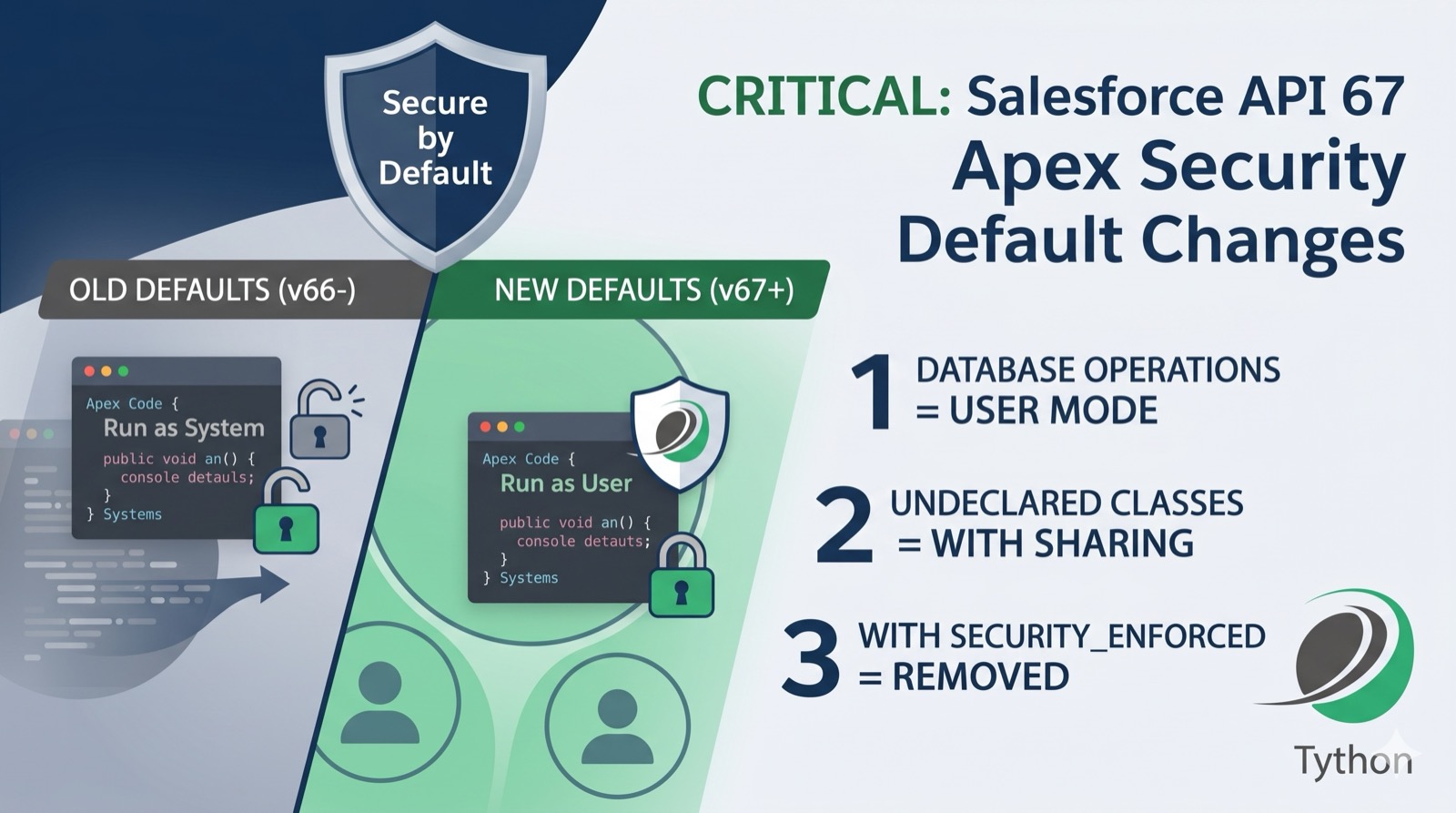
API version 67.0 introduces three changes to Apex security defaults that collectively shift the platform to a secure-by-default posture:
1. Database operations default to user mode. SOQL, SOSL, DML, and Database class methods now run in user mode instead of system mode. That means every query and every DML statement automatically enforces the running user’s object permissions, field-level security, and sharing rules–without any keywords required. Code that previously returned all fields and records regardless of permissions will now throw exceptions or return filtered results if the running user lacks access.
2. Classes without a sharing declaration default to with sharing. Previously, an Apex class with no sharing keyword inherited sharing context from its caller–and if it was the entry point, it ran as without sharing. In API v67, an undeclared class defaults to with sharing, enforcing record-level security by default.
3. WITH SECURITY_ENFORCED is removed. The SOQL clause that many teams adopted as a lighter-weight alternative to WITH USER_MODE is no longer available in API v67 and later. All code using it must be migrated to WITH USER_MODE or explicitly specify WITH SYSTEM_MODE where system-level access is intended.
Additionally, Salesforce has formalized that all Apex triggers run in system mode across all API versions, and sharing or access mode declarations on triggers are no longer permitted.
Why This Matters
The old default–system mode for everything–meant developers had to opt in to security enforcement. Most didn’t. The result is years of Apex code across the ecosystem that silently bypasses the permission model your admins carefully configured. API v67 flips that posture: security is enforced unless you explicitly opt out.
This is the right direction. But the migration risk is real.
What Will Break
Any Apex code on API v67 that relies on the old defaults is at risk:
- Queries that access fields the running user doesn’t have FLS access to will throw
System.QueryExceptioninstead of returning results silently. - Service classes without a sharing declaration that previously ran as
without sharingat entry points will now enforce sharing rules, potentially returning fewer records than expected. - Any SOQL using
WITH SECURITY_ENFORCEDwill fail to compile. - Batch jobs, integrations, and automated processes running under service users may encounter permissions failures if those users don’t have access to all fields and objects the code touches.
What to Do Now
- Don’t upgrade blindly. Review your Apex codebase before moving any classes to API v67. Identify classes without explicit sharing declarations, queries without access mode keywords, and any use of
WITH SECURITY_ENFORCED. - Audit for implicit system mode dependencies. Code that works today because it silently bypasses FLS or sharing rules will fail under user mode. Run Salesforce Code Analyzer against your source to flag these patterns.
- Add explicit access modes. Where system mode is intentionally required–batch jobs, integration handlers, triggers delegating to service classes–add
WITH SYSTEM_MODEto queries andAccessLevel.SYSTEM_MODEto DML operations. Make the intention visible in the code. - Replace
WITH SECURITY_ENFORCED. Migrate all instances toWITH USER_MODE. The behavior is similar, butWITH USER_MODEalso enforces sharing rules and handles polymorphic fields more reliably. - Test in sandbox first. Deploy your codebase at API v67 in a full sandbox and run your test suite. Pay close attention to permission-related failures and unexpected empty result sets.
Deeper Dive
The Before and After: How Code Behavior Changes
The behavioral shift in API v67 is easiest to understand through concrete examples.
SOQL Queries
API v66 and earlier (system mode by default):
// Returns ALL Contact records and ALL fields, regardless of the running user's permissions
List<Contact> contacts = [SELECT Id, Name, SSN__c, Salary__c FROM Contact];
This query returns SSN__c and Salary__c even if the running user’s profile has no FLS access to those fields. The data is exposed silently.
API v67 (user mode by default):
The same query now behaves as if WITH USER_MODE were appended. If the running user lacks access to SSN__c, the query throws a System.QueryException. No silent data leakage.
To explicitly preserve system mode behavior where it’s needed:
// Explicitly opts into system mode -- intention is visible in the code
List<Contact> contacts = [SELECT Id, Name, SSN__c, Salary__c FROM Contact WITH SYSTEM_MODE];
DML Operations
API v66 and earlier:
// Inserts the record in system mode -- no FLS or CRUD checks
insert new Account(Name = 'Test', Secret_Field__c = 'sensitive value');
API v67:
The same insert statement now enforces FLS. If the running user doesn’t have create access on Secret_Field__c, the DML operation fails.
To preserve system mode for DML:
// Explicit system mode DML
Database.insert(new Account(Name = 'Test', Secret_Field__c = 'sensitive value'), AccessLevel.SYSTEM_MODE);
Or using the inline syntax:
insert as system new Account(Name = 'Test', Secret_Field__c = 'sensitive value');Sharing Declarations
API v66 and earlier – no sharing keyword:
// No sharing declaration: inherits caller's context.
// If this is the entry point (controller, invocable), runs as WITHOUT SHARING.
public class AccountService {
    public List<Account> getAccounts() {
        return [SELECT Id, Name FROM Account];
    }
}
API v67 – no sharing keyword:
The same class now defaults to with sharing. If used as a Visualforce controller or invocable action, it enforces record-level security instead of bypassing it.
To preserve the old behavior where needed:
// Explicit without sharing -- the intent is documented in the code
public without sharing class AccountService {
    public List<Account> getAccounts() {
        return [SELECT Id, Name FROM Account WITH SYSTEM_MODE];
    }
}
Migrating from WITH SECURITY_ENFORCED
The removal of WITH SECURITY_ENFORCED in API v67 means any SOQL using it will fail to compile when the class is upgraded. The migration path is straightforward but requires understanding the behavioral differences.
Key Differences
WITH SECURITY_ENFORCED (removed in v67)WITH USER_MODECRUD enforcementYesYesFLS enforcementYesYesSharing rule enforcementNo (depends on class declaration)YesDML supportNo (query only)YesPolymorphic field supportLimitedFullError reportingSingle exceptionFull set of access errors
Migration Steps
- Find all instances of
WITH SECURITY_ENFORCEDin your codebase:
sf code-analyzer run --target "force-app" --rule-selector Recommended:Security --output-file scan.jsonOr search directly:
grep -rn "WITH SECURITY_ENFORCED" force-app/2. Replace each instance with WITH USER_MODE:
// Before
List<Account> accts = [SELECT Id, Name FROM Account WITH SECURITY_ENFORCED];

// After
List<Account> accts = [SELECT Id, Name FROM Account WITH USER_MODE];
3. Be aware that WITH USER_MODE also enforces sharing rules, which WITH SECURITY_ENFORCED did not. If a class is declared without sharing and relies on that to bypass sharing while using WITH SECURITY_ENFORCED for FLS, switching to WITH USER_MODE will change the sharing behavior. In this case, evaluate whether the sharing bypass is intentional, and if so, consider using WITH SYSTEM_MODE with manual FLS checks or restructuring the code.
Triggers in API v67
Salesforce has formalized the trigger execution model in API v67. Triggers now always run in system mode across all API versions, and you cannot declare sharing or access mode keywords on a trigger.
This resolves an inconsistency in older API versions where trigger sharing behavior had edge cases that led to unpredictable enforcement. The tradeoff is that trigger code still has full system-level access, so any security enforcement has to happen in the handler classes the trigger delegates to.
The recommended pattern remains the same as before:
// Trigger: thin, no security declarations (not permitted in v67)
trigger AccountTrigger on Account (before insert, before update) {
    AccountTriggerHandler.handleBeforeInsert(Trigger.new);
}

// Handler: explicit sharing and access mode
public with sharing class AccountTriggerHandler {
    public static void handleBeforeInsert(List<Account> newAccounts) {
        // User mode enforced at the query level
        List<Contact> contacts = [
            SELECT Id, AccountId FROM Contact
            WHERE AccountId IN :newAccounts WITH USER_MODE
        ];
    }
}
If the handler needs system-level access for legitimate reasons (e.g., cross-object updates that the triggering user shouldn’t need direct access to), declare it explicitly:
public without sharing class AccountTriggerHandler {
    public static void handleBeforeInsert(List<Account> newAccounts) {
        // System mode is explicit and intentional
        List<Contact> contacts = [
            SELECT Id, AccountId FROM Contact
            WHERE AccountId IN :newAccounts WITH SYSTEM_MODE
        ];
    }
}
Batch Jobs, Schedulable, and Queueable Classes
Asynchronous Apex is where the API v67 defaults are most likely to cause unexpected failures. Batch jobs, schedulable classes, and queueable classes often run under a specific user context and frequently need system-level access to process records across the entire org.
The Problem
A batch class like this works fine on API v66:
public class CleanupBatch implements Database.Batchable<SObject> {
    public Database.QueryLocator start(Database.BatchableContext bc) {
        // System mode by default -- returns all records
        return Database.getQueryLocator('SELECT Id, Status__c FROM Case');
    }

    public void execute(Database.BatchableContext bc, List<Case> scope) {
        for (Case c : scope) {
            c.Status__c = 'Archived';
        }
        update scope; // System mode -- bypasses FLS
    }

    public void finish(Database.BatchableContext bc) {}
}
On API v67, the start query runs in user mode. If the user who scheduled the batch doesn’t have access to Status__c, the query fails. The update DML also enforces FLS, so even if the query succeeds, the update may throw an exception.
The Fix
Add explicit system mode declarations:
public class CleanupBatch implements Database.Batchable<SObject> {
    public Database.QueryLocator start(Database.BatchableContext bc) {
        return Database.getQueryLocator('SELECT Id, Status__c FROM Case WITH SYSTEM_MODE');
    }

    public void execute(Database.BatchableContext bc, List<Case> scope) {
        for (Case c : scope) {
            c.Status__c = 'Archived';
        }
        Database.update(scope, AccessLevel.SYSTEM_MODE);
    }

    public void finish(Database.BatchableContext bc) {}
}
The same pattern applies to Queueable and Schedulable classes. Any asynchronous Apex that processes records across the org should be reviewed and explicitly marked for system mode where appropriate.
Managed Packages and ISV Considerations
The API v67 changes apply per-class based on the API version of that class, not the org’s API version. This has important implications:
- Managed package classes retain their declared API version. A managed package built on API v62 will continue running with system mode defaults until the ISV updates the package to v67.
- Unmanaged code (your custom Apex) is what you need to worry about. When you update a class’s API version to 67–either directly or as part of a broader upgrade–the new defaults take effect.
- If you use
sfdx force:source:pushor deploy metadata, pay attention to theapiVersionfield in your class metadata files. A blanket version bump across all classes will apply the new defaults everywhere at once.
For ISVs building AppExchange packages, the v67 defaults align with what the Salesforce Security Review already requires: explicit sharing declarations and FLS enforcement. Packages that already pass security review should have minimal migration work. Packages that relied on system mode as a workaround for permission issues will need remediation.
Migration Checklist
Use this checklist to prepare your org’s Apex codebase for API v67:
Inventory
- [ ] Query all custom Apex classes and their current API versions:
SELECT Name, ApiVersion, Body FROM ApexClass WHERE NamespacePrefix = null - [ ] Identify classes without explicit sharing declarations (
with sharing,without sharing, orinherited sharing). - [ ] Search for all uses of
WITH SECURITY_ENFORCEDacross the codebase. - [ ] Identify all batch, schedulable, and queueable classes.
- [ ] List all classes used as Visualforce controllers, Aura/LWC controllers, REST endpoints, or invocable actions.
Prioritize
- [ ] Focus first on classes exposed to user-facing entry points (controllers, invocable actions, REST endpoints). These are most likely to break when sharing defaults change.
- [ ] Review batch and async classes next. These commonly depend on system mode and will fail silently or throw exceptions under user mode.
- [ ] Review service and utility classes last. These typically inherit context from callers, but the default change may affect them if they’re used as entry points anywhere.
Remediate
- [ ] Add explicit sharing declarations to every class. Default to
with sharing. Usewithout sharingonly with a documented justification. Useinherited sharingfor utility classes called from multiple contexts. - [ ] Replace all
WITH SECURITY_ENFORCEDwithWITH USER_MODE. - [ ] Add
WITH SYSTEM_MODEto any query that intentionally needs system-level access (batch processing, system integrations, data migration jobs). - [ ] Add
AccessLevel.SYSTEM_MODEoras systemto DML operations that need system-level access. - [ ] For Dynamic SOQL using
Database.query(), pass theAccessLevelparameter:Database.query(queryString, AccessLevel.SYSTEM_MODE).
Validate
- [ ] Deploy all classes at API v67 in a full sandbox.
- [ ] Run the full test suite. Pay attention to
System.QueryExceptionandSystem.DmlExceptionerrors related to insufficient access. - [ ] Test all user-facing functionality under non-admin user profiles. Admin users have broad permissions and may mask access issues.
- [ ] Test scheduled jobs and batch processes. Verify they complete successfully under the user context that runs them in production.
- [ ] Run Salesforce Code Analyzer against the updated source to catch any remaining issues.
Document
- [ ] Record which classes intentionally use
without sharingorWITH SYSTEM_MODEand why. - [ ] Update your team’s Apex coding standards to reflect the v67 defaults.
- [ ] Add API version upgrade review to your release process for future versions.
The Bigger Picture
API v67’s secure-by-default posture is part of a broader shift in the Salesforce platform. The migration from Profiles to Permission Sets, the introduction of WITH USER_MODE in earlier releases, and now the default enforcement of user mode in Apex all point in the same direction: Salesforce is systematically reducing the surface area where security is bypassed by default.
For security teams, this is a welcome change. The old model required constant vigilance to ensure developers were doing the right thing. The new model requires developers to explicitly opt out of security when they need system-level access–which makes code reviews simpler and audit trails clearer.
For development teams, the short-term cost is a migration effort. But the long-term benefit is significant: fewer security review findings, fewer permission-related bugs in production, and a codebase where the security posture is visible in the code rather than hidden behind implicit defaults.
The Bottom Line
API v67 is doing what the Salesforce security community has been asking for: making Apex secure by default. But secure-by-default only works if you prepare for the transition. Code that ran unchecked for years under system mode won’t magically work correctly under user mode. The fix is to make every security decision explicit–WITH USER_MODE where you want enforcement, WITH SYSTEM_MODE where you need bypass, with sharing where you want record security, without sharing where you intentionally don’t.
The Summer ’26 release is coming. The time to audit is now.
Book a 15-Minute Security Strategy Call
Reference(s):
https://www.salesforceben.com/top-8-salesforce-summer-26-features-for-developers/
https://www.conemis.com/news/salesforce-summer-26-release-api-updates-version-67-0